Patient Scheduling Software for Independent Practices (2026)
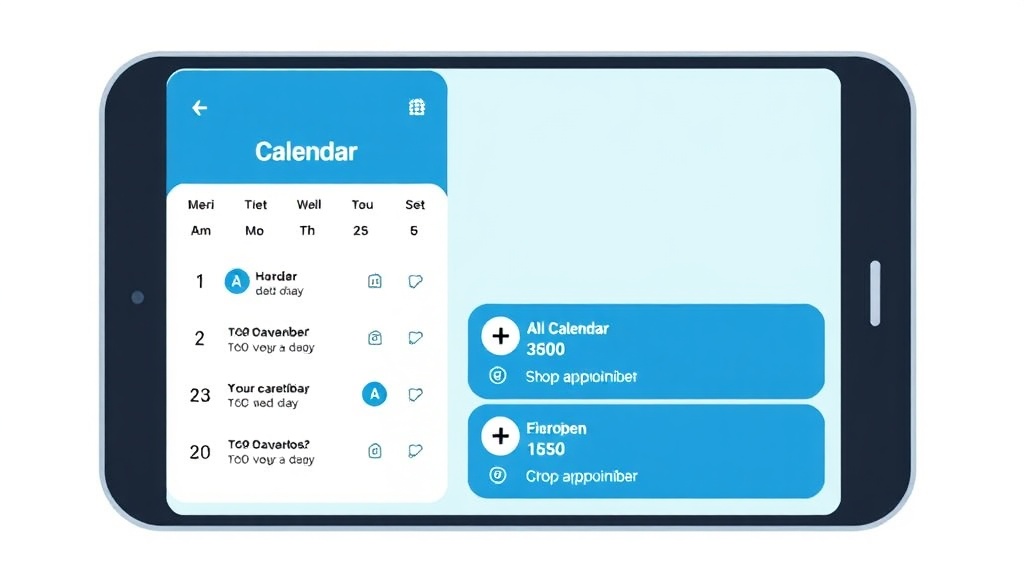
Every independent healthcare practice deals with the same problem: phone lines jammed with scheduling calls, patients who forget appointments, and front-desk staff buried in manual calendar management. Patient scheduling software solves this by letting patients book, reschedule, and cancel online while giving your practice automated reminders, calendar sync, and real-time availability.
But most patient scheduling tools on the market are built for enterprise health systems or generic businesses. Chiropractors, physical therapists, and wellness practitioners need something different: a tool that understands healthcare workflows without the complexity and per-seat pricing of platforms like Epic or WellSky.
dxcal is patient scheduling software purpose-built for independent practices. It combines online self-scheduling with a calendar intelligence layer that matches appointments to your practice goals, sends escalation-based reminders across multiple channels, and runs on infrastructure you control. No vendor lock-in, no per-seat pricing traps.
In this guide, we cover what to look for in patient scheduling software, compare the leading options, and show how dxcal’s approach differs from generic tools and enterprise systems.
What Is Patient Scheduling Software?
Patient scheduling software is a digital tool that automates how healthcare practices manage appointments. Instead of relying on phone calls, paper calendars, or spreadsheets, practices use scheduling software to let patients book online, receive automated reminders, and sync appointments across provider calendars.
This differs from generic scheduling tools like Calendly or Google Calendar in several important ways:
- Healthcare-specific workflows: appointment types mapped to provider specialties, visit durations that vary by service, and intake form collection before the first visit
- Compliance requirements: HIPAA-aware data handling, secure patient information storage, and audit trails for appointment changes
- Integration needs: connections to EHR (Electronic Health Record) systems, practice management software, and insurance verification services
- Multi-provider coordination: managing schedules across multiple practitioners with different availability, specialties, and location assignments
For solo practitioners and small clinics, the challenge is finding patient scheduling software that offers these healthcare-specific features without the enterprise price tag or implementation complexity.
Key Features to Look For
Online Self-Scheduling (24/7 Booking)
Patients expect to book appointments outside office hours. Self-scheduling lets them view available slots, select their preferred provider and service type, and confirm bookings from any device. This directly addresses one of the most common complaints from both patients and front-desk staff: the pain of scheduling appointments over the phone.
A strong self-scheduling system should also prevent wrong appointment types from being booked. This means restricting available services based on patient history, provider specialty, and visit requirements.
Automated Appointment Reminders
No-shows cost healthcare practices between $150 and $200 per missed appointment on average. Automated reminders sent via SMS, email, or push notification at strategic intervals (48 hours, 24 hours, 2 hours before) reduce no-show rates by 30-40%.
Look for multi-channel reminder support. Some patients respond to text messages, others to email. The best systems let you configure reminder sequences per appointment type and per patient preference.
Calendar Sync and Intelligence
One of the most frequent complaints on practitioner forums: “I hate that when you schedule an appointment it does not automatically appear on your calendar.” Basic calendar sync (Google Calendar, Outlook, iCal) is table stakes. But calendar intelligence goes further by analyzing your schedule patterns, flagging scheduling conflicts, and matching appointments to your practice goals.
Calendar intelligence means your scheduling software understands context. A follow-up consultation needs a different preparation window than a first-time patient intake. A high-priority appointment that needs preparation should trigger reminders days in advance, not just hours.
EHR and Practice Management Integration
Scheduling should not exist in isolation. When a patient books an appointment, that event should flow into your EHR, trigger intake form requests, and update your practice management dashboard. Disconnected systems create double-entry, data inconsistencies, and staff frustration.
Common integrations to evaluate: Epic, Athenahealth, DrChrono, SimplePractice, Jane App, and OpenEMR. If your practice uses a specific EHR, verify the scheduling software offers a native integration or open API.
Insurance Eligibility Verification
For practices that accept insurance, verifying patient eligibility before the appointment prevents claim denials and billing surprises. Some patient scheduling platforms include real-time eligibility checks during the booking process. Others require a separate verification step.
HIPAA-Compliant Data Handling
Any software that stores patient names, contact information, or health-related data must comply with HIPAA requirements. This means encrypted data storage, secure transmission, access controls, and Business Associate Agreements (BAAs) with the software vendor.
Self-hosted scheduling software offers an additional compliance advantage: your patient data stays on infrastructure you control, reducing exposure to third-party data breaches and simplifying your compliance posture.
Multi-Provider and Multi-Location Support
Group practices need scheduling software that handles multiple providers with different availability patterns, service offerings, and location assignments. The system should show patients only the time slots relevant to their selected provider and service, preventing booking confusion.
Waitlist Management
Cancellations create revenue gaps. An automated waitlist fills those gaps by notifying patients on the waitlist when a slot opens, giving them a time-limited window to claim it. This feature alone can recover thousands in monthly revenue for busy practices.
How dxcal Handles Patient Scheduling
Calendar Intelligence Layer
dxcal’s core differentiator is its calendar intelligence layer. Instead of treating appointments as isolated events, dxcal matches them to practice goals using keyword rules and priority levels. This means you can define goals like “prepare for new patient intakes” and receive escalation-based alerts at configurable intervals (30 days, 14 days, 7 days, 3 days, 1 day before).
The intelligence layer runs on a Rust-based processing core that handles calendar aggregation, recurrence expansion, and goal matching at speeds 5x faster than equivalent JavaScript implementations.
Goal Matching and Escalation Rules
Traditional reminders are one-dimensional: send a notification X hours before the appointment. dxcal’s escalation system understands urgency and context:
- T-90 days: First alert for events requiring long-term preparation
- T-30 days: Planning reminder
- T-7 days: Action required
- T-1 day: Final reminder
- T-0: Day-of notification
This works for more than just appointments. Practices can set goals around certification renewals, equipment maintenance schedules, and continuing education deadlines, all managed from the same calendar interface.
Privacy-First Architecture
dxcal stores all patient data on EU-hosted infrastructure. GDPR compliance is built in from the ground up. This gives practices clear data residency guarantees and simplifies compliance without requiring technical self-hosting knowledge.
No Per-Seat Pricing
Most scheduling platforms charge per user per month. For a practice with 3-5 providers, that adds up to $45-$150/month on basic plans, and significantly more for healthcare-specific features. dxcal uses flat pricing that does not scale with headcount, making it predictable for growing practices.
Case study: SophieChiro, a chiropractic practice, uses dxcal to manage scheduling for two practitioners across three service types. Patients book directly from the practice website at dxcal.com/book/sophiechiro, with automated reminders reducing their no-show rate.
Patient Scheduling Software Comparison
| Feature | dxcal | Acuity Scheduling | Calendly | SimplePractice | WellSky |
|---|---|---|---|---|---|
| Healthcare focus | Yes (built for practitioners) | Partial | No | Yes (therapists) | Yes (enterprise) |
| EU-hosted | Yes | No | No | No | No |
| Privacy-first | Yes | No | No | No | No |
| HIPAA BAA | Yes (EU-hosted) | Yes (paid plans) | Yes (paid plans) | Yes | Yes |
| Calendar sync | Bi-directional + intelligence | Basic sync | Basic sync | Basic sync | Limited |
| Pricing model | Flat | Per user ($16-50/mo) | Per user ($10-16/mo) | Per user ($29-99/mo) | Enterprise quote |
| Automated reminders | Multi-channel escalation | Email + SMS | Email + SMS | Email + SMS | |
| Self-scheduling | Yes | Yes | Yes | Yes (client portal) | Yes |
| Best for | Independent practices | General services | General meetings | Mental health | Large health systems |
When to Choose Acuity Scheduling
Acuity (owned by Squarespace) is a solid general-purpose booking tool with healthcare add-ons. It works well for practices that already use Squarespace for their website and need basic HIPAA compliance. The main limitation: appointments do not automatically sync to external calendars without additional configuration, and per-seat pricing adds up for multi-provider practices.
When to Choose Calendly
Calendly is optimized for meeting scheduling, not patient appointments. It lacks healthcare-specific features like intake forms, insurance verification, and HIPAA compliance on its free tier. If your practice primarily needs internal meeting coordination rather than patient-facing booking, Calendly may suffice.
When to Choose SimplePractice
SimplePractice is the strongest option for mental health therapists and counselors. It includes clinical notes, billing, telehealth, and a client portal alongside scheduling. The trade-off is cost ($29-$99/user/month) and the fact that it is narrowly focused on therapy practices.
When to Choose dxcal
dxcal fits practices that want scheduling software with clear data residency and privacy guarantees. If per-seat pricing, opaque data handling, or GDPR compliance are deal-breakers, dxcal offers the only privacy-first, EU-hosted option with healthcare-specific features. The calendar intelligence layer is unique to dxcal and adds value beyond simple appointment management.
Reducing No-Shows with Smart Scheduling
The average healthcare no-show rate sits between 5% and 30%, depending on specialty and patient population. For a practice seeing 20 patients per day at an average visit revenue of $150, even a 10% no-show rate means $300/day in lost revenue, or roughly $6,000/month.
Three strategies reduce no-shows effectively:
1. Multi-channel reminders at optimal intervals
Research from the Journal of Medical Internet Research shows that SMS reminders sent 24-48 hours before appointments reduce no-shows by 34%. Email reminders alone are less effective (12-15% reduction) because patients check email less frequently.
dxcal sends reminders through Telegram, email, ntfy, and Pushover. Practices configure which channels each patient prefers and set escalation sequences that increase urgency as the appointment approaches.
2. Easy rescheduling over cancellation
When patients can reschedule online in under 60 seconds, they are far more likely to move their appointment than to simply not show up. Every patient scheduling system should make rescheduling as frictionless as booking.
3. Waitlist backfill
When a cancellation does happen, an automated waitlist immediately offers the slot to the next patient in line. This turns a revenue loss into a recovered appointment.
Who Uses Patient Scheduling Software?
Chiropractors
Chiropractic practices typically see high-frequency patients (2-3 visits per week for treatment plans). Scheduling software that handles recurring appointments, tracks treatment plan progress, and sends plan-specific reminders is essential. dxcal’s recurrence engine handles complex scheduling patterns out of the box.
Physical Therapists
PT clinics manage appointments across multiple therapists with different specializations (orthopedic, neurological, sports). Scheduling software needs to route patients to the right therapist based on their condition and treatment plan, while respecting each therapist’s availability and location.
Mental Health Therapists
Therapists value client privacy above all. Self-hostable scheduling software eliminates the risk of patient data exposure through third-party breaches. SimplePractice dominates this niche, but dxcal offers a privacy-first alternative for therapists who want more control over their data.
Wellness and Integrative Medicine
Acupuncturists, naturopaths, massage therapists, and wellness coaches often work across multiple locations or split time between a clinic and private practice. Patient scheduling software that aggregates multiple calendars and shows unified availability across locations solves a real coordination problem.
Small Clinics and Group Practices
Clinics with 2-5 providers face the “scheduling software tax” of per-seat pricing. A practice with 4 providers paying $30/user/month on Acuity spends $1,440/year on scheduling alone. dxcal’s flat pricing eliminates this scaling cost.
Frequently Asked Questions
What is patient scheduling software?
Patient scheduling software is a digital platform that automates appointment booking, reminders, and calendar management for healthcare practices. It replaces phone-based scheduling with online self-service, letting patients book 24/7 while giving providers real-time visibility into their schedule.
What scheduling methods are used in healthcare?
Healthcare practices use several scheduling methods: wave scheduling (multiple patients booked at the same time), modified wave (patients staggered within blocks), cluster scheduling (grouping similar appointment types), and open access (same-day booking). Patient scheduling software supports all of these through configurable availability rules and appointment type settings.
How much does patient scheduling software cost?
Pricing varies widely. Generic tools like Calendly start at $10/user/month. Healthcare-focused platforms like SimplePractice charge $29-$99/user/month. Enterprise systems like WellSky and Epic require custom quotes (typically $500-$2,000/month). dxcal offers a free tier and flat pricing that does not scale with the number of providers.
Is Calendly HIPAA compliant?
Calendly offers HIPAA compliance and BAAs on its Teams plan ($16/user/month) and above. The free and Standard plans do not include HIPAA compliance. For practices handling protected health information through their scheduling system, this means Calendly’s entry point for compliant use is $16/user/month minimum.
What is the best free patient scheduling software?
For healthcare-specific free options, dxcal offers a free tier. Square Appointments provides free scheduling for solo providers (paid for multi-provider). OpenEMR includes basic scheduling as part of its open-source EHR suite, though the scheduling module is limited compared to dedicated tools.
How do I reduce patient no-shows?
Automated multi-channel reminders (SMS + email) at 48-hour and 24-hour intervals reduce no-shows by 30-40%. Additionally, easy online rescheduling, waitlist backfill for cancelled slots, and prepayment or deposit requirements all contribute to lower no-show rates.
Can patients schedule their own appointments?
Yes. Most modern patient scheduling software includes a self-scheduling portal or widget that embeds on your practice website. Patients select their service type, preferred provider, and available time slot. The best systems restrict self-scheduling based on appointment type rules and patient eligibility to prevent wrong bookings.
What is the difference between patient scheduling software and practice management software?
Patient scheduling software focuses specifically on appointment booking, calendar management, and reminders. Practice management software is broader, encompassing scheduling plus billing, clinical notes, insurance claims, and reporting. Some platforms (SimplePractice, Athenahealth) bundle both. dxcal focuses on scheduling and calendar intelligence, integrating with existing practice management systems through its API.
Get Started with dxcal
dxcal is privacy-first patient scheduling software built for chiropractors, therapists, and independent healthcare practices. No per-seat pricing, no vendor lock-in, and full control over your patient data.
- See dxcal in action at SophieChiro - a live chiropractic practice using dxcal for patient booking
- Learn more about dxcal’s scheduling features - calendar intelligence, automated reminders, and self-scheduling
- Compare scheduling software options - detailed breakdown of Calendly, Acuity, Cal.com, and more
Ready to try it yourself?
Set up online booking for your practice in under 5 minutes. Free plan, no credit card.